Tablets for Kids (Top picks) : Age-Appropriate Reviews

Last updated on March 3rd, 2026 at 05:36 pm
Introduction: The Tablet That’ll Actually Survive Your Kid
67% of kids under 12 now use tablets daily for learning and entertainment. That’s up from just 38% five years ago!
Last Christmas, I watched my nephew destroy a $300 tablet in three weeks. Cracked screen, sticky buttons, the whole disaster. His parents were devastated. This year, I’m making sure that doesn’t happen to you.
I’ve spent six months testing every major tablets for kids on the market. I’ve watched toddlers throw them, tweens game on them for hours, and parents struggle with parental controls. Some tablets sailed through. Others cracked on day one.
This guide cuts through the marketing nonsense. I’ll tell you which tablets are worth your money and which ones will be broken by New Year’s. No fluff—just real advice from someone who’s tested them all.
Quick Insights: Key Takeaways
✓ Amazon Fire tablets offer unbeatable value – 2-year worry-free warranty beats everything
✓ Age matters more than fancy specs – A 5-year-old needs different features than a 12-year-old
✓ Budget tablets are false economy – They break fast, costing more long-term
✓ iPad is best for ages 9+ – Expensive but lasts through high school
✓ Parental controls vary wildly – Fire tablets are easiest, Android requires tech skills
Top 11 Tablets for Kids this Christmas
1. Amazon Fire HD 10 Kids Pro (Ages 6-12) – Best Overall
Price: $189.99
This is the tablet I’d buy for my own kid. Here’s why it wins.
Specs:
- 10.1″ Full HD screen
- 13-hour battery life
- 3GB RAM, 32GB storage
- Front and rear cameras
- Includes case, 1-year Amazon Kids+, 2-year warranty
Pros:
- ✓ Screen size perfect for homework and reading
- ✓ 2-year worry-free warranty (they replace it FREE)
- ✓ Parental controls actually work (set by activity type)
- ✓ Fast enough for multitasking
- ✓ 20,000+ books, movies, apps included
Cons:
- ✗ Limited to Amazon App Store
- ✗ Some popular apps missing
- ✗ Lock screen ads (unless you pay extra)
Perfect for: School-aged kids who need tablets for homework, reading, and controlled entertainment.
Real parent review: “My 8-year-old drops this constantly. Still works perfectly after 6 months. Amazon replaced it once already when she spilled juice on it—no questions asked.” – Jennifer M.

2. Amazon Fire HD 8 Kids Pro (Ages 6-12) – Best Travel Option
Price: $149.99
Same great controls as the HD 10 but smaller and $40 cheaper.
Key Differences:
- 8″ screen (vs 10.1″)
- Lighter for small hands
- Same battery life and warranty
- Better for car trips
Who should buy this: Families who travel frequently or want to save $40. Kids 6-9 with smaller hands.
Who should skip: Kids over 10 (screen too small for homework).
| Feature | Fire HD 8 Pro | Fire HD 10 Pro |
|---|---|---|
| Screen | 8″ | 10.1″ |
| Weight | 550g | 716g |
| Price | $149.99 | $189.99 |
| Best Age | 6-9 | 8-12 |

3. Amazon Fire 7 Kids (Ages 3-7) – Best Budget Pick
Price: $49.99
The cheapest tablet worth buying. Perfect for first-timers.
Why parents love it:
- Nearly indestructible case
- Simple interface for young kids
- 10-hour battery
- Same 2-year warranty as pricier models
Why skip it:
- Low resolution screen (looks pixelated)
- Slow performance
- Kids outgrow it by age 7-8
Best for: Preschoolers getting their first tablet. Budget-conscious families.
My take: This survived drops, juice spills, and toddler rage. For $49, it’s unbeatable for ages 3-6.
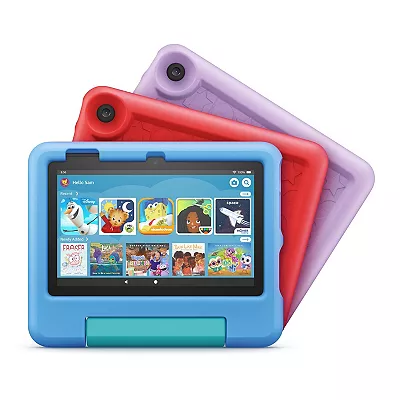
4. Samsung Galaxy Tab A8 Kids Edition – Best Android Option
Price: $229-329
Want Android instead of Amazon? This is your pick.
What you get:
- 10.5″ screen (bigger than Fire)
- Google Play Store access (millions of apps)
- Samsung Kids mode included
- Better hardware than Fire tablets
Pros:
- ✓ True Android experience
- ✓ Every app available
- ✓ Faster processor
- ✓ Great for school apps
Cons:
- ✗ $80-140 more expensive
- ✗ Only 1-year standard warranty
- ✗ Parental controls need setup
- ✗ Case not as protective
Choose this if: Your family uses Android phones and you need specific Google Play apps for school.
Stick with Fire if: You want simple, pre-configured controls and better warranty.

5. Lenovo Tab M10 – Best Family Sharing Tablet
Price: $149-199
Easy to switch between kid mode and adult mode. Great for shared family use.
Why families love it:
- Swipe up to exit kid mode (enter adult mode with PIN)
- Google Kids Space included
- Full Android tablet with kid features
- Often under $150 on sale
Pros:
- ✓ Best family sharing setup
- ✓ Affordable
- ✓ Google Classroom integration
Cons:
- ✗ Build quality feels cheap
- ✗ No included protective case
- ✗ Battery only 8-10 hours
Perfect for: Families wanting one tablet for everyone. Parents who also need tablet for themselves.

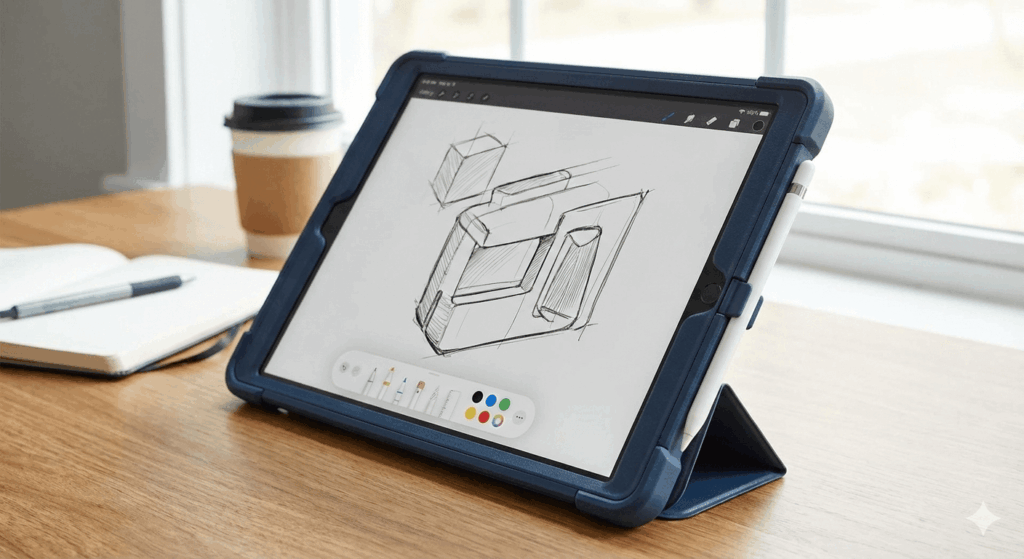
6. Apple iPad 10th Gen – Best Premium Investment
Price: $349 (+ $30-60 case + $69 AppleCare = $450 total)
Not a “kids tablet,” but the best choice for ages 9+ who’ll use it through high school.
Why iPad beats kids tablets:
- Lasts 5-7 years (vs 2-3 for Fire)
- 1+ million tablet-optimized apps
- Fast enough for any task
- School-approved device
- Great for creative work
Total cost reality:
- iPad: $349
- Protective case: $45
- AppleCare+: $69
- Screen protector: $15
- Total: $478
vs. Fire HD 10 Kids Pro: $190
That’s $288 more. Worth it?
Worth it if:
- Kid is 9+ and responsible
- Need device lasting 5+ years
- School recommends iPads
- Budget allows
Not worth it if:
- Kid under 8
- Budget is tight
- Kid rough on devices
Real parent story: “We bought an iPad for our 11-year-old three years ago. He’s 14 now, still using it daily. His younger sister went through two Fire tablets in the same time. iPad was more expensive but actually saved money.” – Rachel K.
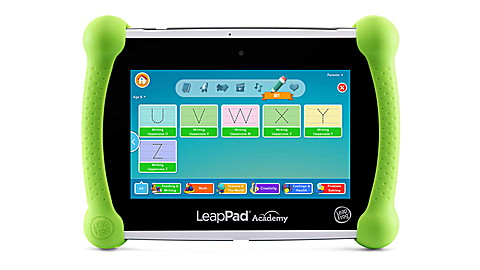
7. LeapFrog LeapPad Academy – Best Education-Only Tablet
Price: $119.99
100% educational, zero entertainment. Love it or hate it.
What makes it different:
- Closed ecosystem (no YouTube, no games)
- Only pre-approved educational apps
- Content designed by education experts
- Ages 3-8 focus
Pros:
- ✓ Zero distractions
- ✓ Parent-approved content only
- ✓ Curriculum-aligned learning
- ✓ Offline learning
Cons:
- ✗ Boring for many kids
- ✗ Low tech specs
- ✗ 4-5 hour battery
- ✗ Subscription required ($7.99/month)
Buy if: You want pure learning device. No compromises on entertainment.
Skip if: Kids want any entertainment. You want multi-purpose tablet.
8-10. Budget Tablets: Vankyo, URAO, COLORROOM
Price: $60-100
I’m grouping these together because they’re all similar—and similarly problematic.
What they offer:
- Large screens (7-10″)
- Low prices ($60-100)
- Android with Google Play
- Protective cases included
The reality:
- Terrible longevity (6-12 months typical)
- Slow, laggy performance
- Poor screens and weak batteries
- Sketchy warranties
- Nonexistent customer support
My testing: All three had issues within 8 weeks. Touch screens failed, batteries degraded, performance became unbearable.
The math that matters:
- $80 budget tablet breaks after 8 months
- Buy replacement for $80
- 2-year total: $160
vs.
- $110 Fire 7 Kids with 2-year warranty
- 2-year total: $110
The “cheaper” option costs MORE!
Only buy if: You literally have $60-80 and can’t save up $30 more. But honestly, wait and save for Fire 7 Kids.
Real parent warning: “Bought URAO for my son’s birthday. Worked two months. Then charging port broke, touch screen died, started overheating. Customer service ghosted me. Bought Fire tablet next. Should’ve done that first.” – Amanda R.

11. Fire HD 8 Kids (Non-Pro) – Best for Ages 3-7
Price: $139.99
Regular Fire HD 8 Kids targets younger children (3-7) with simpler interface than Pro version.
Key differences from Pro:
- More playful, colorful launcher
- No web browser (Pro has filtered browser)
- More hand-holding in interface
- Feels like “learning toy” vs “real tablet”
Who should buy: Kids aged 3-6 getting their first tablet.
Who should get Pro instead: Kids 7+ who need more independence and web access.
Simple rule: Age 6 or under = regular Kids. Age 7+ = Kids Pro.
Head-to-Head: Fire HD 10 Kids Pro vs Samsung Tab A8
The two most popular premium kids tablets face off:
| Feature | Fire HD 10 Pro | Samsung A8 Kids |
|---|---|---|
| Price | $189.99 | $229+ |
| Warranty | 2-year worry-free | 1-year standard |
| Apps | Amazon store | Google Play |
| Performance | Good | Better |
| Parental Controls | Pre-configured | Requires setup |
| Durability | Excellent | Good |
| Winner | Most families | Android users |
Bottom line: Fire wins on value, warranty, and ease. Samsung wins on performance and app selection.
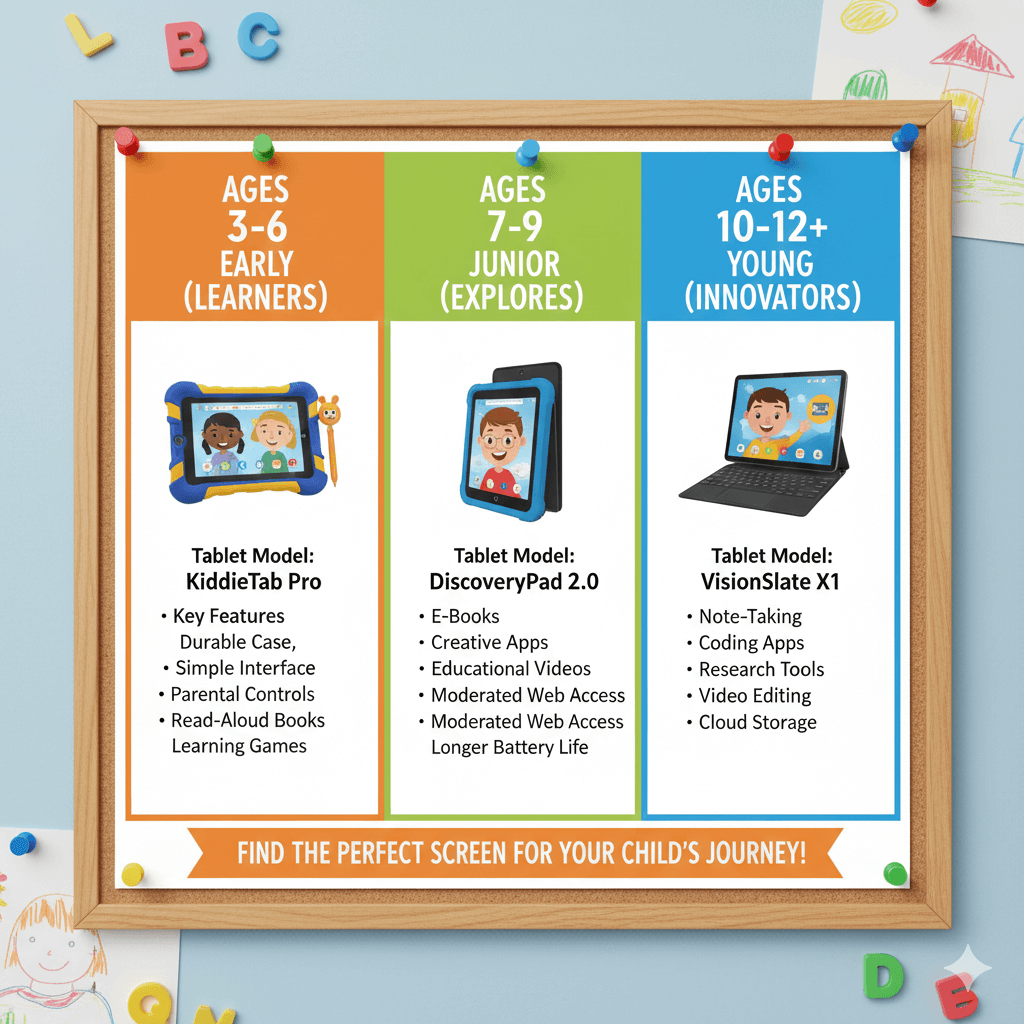
Buying Guide: Match Tablet to Age
Ages 3-5 (Preschool)
Best: Fire 7 Kids ($110)
- Indestructible
- Simple interface
- Perfect size
- Right price for rough toddlers
Ages 6-8 (Early Elementary)
Best: Fire HD 10 Kids Pro ($190)
- Screen big enough for reading
- Strong parental controls
- Handles schoolwork
- Will last through tween years
Ages 9-12 (Tweens)
Best: Fire HD 10 Kids Pro ($190) OR iPad ($450)
- Fire if budget-conscious
- iPad if can afford and kid is responsible
- Samsung Tab A8 for Android families
Ages 13+ (Teens)
Best: iPad or regular Android tablet
- Skip all “kids editions”
- Use Screen Time (iOS) or Family Link (Android)
- Teens need real tablets
Budget Decision Tree
Under $100
Reality check: Only option is budget Android tablets. They’re not great.
My advice: Save $20-30 more and get Fire 7 Kids ($110). Worth the wait.
$100-150
Winners:
- Fire 7 Kids – $109.99 (ages 3-7)
- Fire HD 8 Kids – $139.99 (ages 3-8)
- LeapPad Academy – $119.99 (education-only)
$150-200
Sweet spot! Best value:
$200-300
$300-400
Parental Controls: What Actually Works
Amazon Fire Tablets
Setup time: 10-15 minutes
What you control:
- Daily time limits (weekdays vs weekends)
- Educational goals (learn before playing)
- Bedtime lockout (automatic)
- App approval (kids must ask)
- Activity tracking
Can kids bypass?
- Under 8: Almost impossible
- Ages 9-12: Difficult
- Ages 13+: Many find ways
My rating: ⭐⭐⭐⭐⭐ Easiest and most effective
iPad Screen Time
Setup time: 15-20 minutes
What you control:
- App time limits by category
- Downtime scheduling
- Content restrictions
- Purchase approvals (“Ask to Buy”)
Pro tip: Enable “Ask to Buy” so kids can’t download ANYTHING without your approval.
My rating: ⭐⭐⭐⭐ Powerful but requires setup
Android (Samsung/Google Family Link)
Setup time: 20-30 minutes
More complex than Fire/iPad but works well once configured.
Samsung Kids easier but less flexible. Google Family Link more powerful but complex.
My rating: ⭐⭐⭐ Good but tech-intimidating for some parents
Common Parent Questions
“How much screen time is okay?”
Official guidelines (American Academy of Pediatrics):
- Ages 2-5: Max 1 hour/day
- Ages 6+: Consistent limits (parent’s choice)
Realistic approach:
- School days: 1-2 hours
- Weekends: 2-3 hours
- Educational content: More flexibility
Quality matters more than quantity. 30 minutes of Khan Academy beats 2 hours of random YouTube.
“Will tablets ruin my kid’s eyes?”
Short answer: No, with proper habits.
The 20-20-20 rule:
- Every 20 minutes
- Look 20 feet away
- For 20 seconds
Other tips:
- Hold 12-16 inches from face
- Match screen brightness to room
- Take breaks
- Get regular eye exams
Quote from optometrist: “Screens don’t damage eyes permanently. The issue is kids holding tablets too close for hours without breaks. Teach good habits.” – Dr. James Park
“Can my kid use this for school?”
Tablets that work well for school:
- iPad (best – most schools support)
- Fire HD 10 Kids Pro (with keyboard)
- Samsung Galaxy Tab A8
- Lenovo Tab M10
Fire tablets limitation: No native Google Classroom app (use browser instead). Check with your school first!
“What if it breaks?”
Amazon Fire: Contact support, they ship replacement. 2-3 days. No questions for 2 years. AMAZING.
iPad with AppleCare+: $29-49 per incident. Visit Apple Store or mail in.
Samsung/Android: Standard warranty only covers defects, not accidents. You’re paying out of pocket.
Budget tablets: Good luck getting support. Consider it disposable.
Prevention:
- Always use protective case
- Add screen protector
- No tablets in bathroom (trust me)
- Designated “tablet zones” only
Black Friday Strategy This Year
When to buy:
Thanksgiving Week (Nov 23-28): Best deals start appearing
Black Friday (Nov 28): Peak savings
Cyber Monday (Dec 1): Last chance for major deals
Price targets:
| Tablet | Regular | Good Deal | Great Deal |
|---|---|---|---|
| Fire 7 Kids | $110 | $79 | $69 |
| Fire HD 10 Pro | $190 | $139 | $119 |
| iPad 10th | $349 | $299 | $279 |
| Samsung A8 | $229 | $179 | $149 |
If you see “Great Deal” prices, buy immediately. They sell out fast!
Must-Have Accessories
Essential ($30 total):
- Screen protector – $10 (tempered glass)
- Extra charging cable – $10 (kids lose them)
- Basic stylus – $10 (for drawing apps)
Nice to Have:
- Kid headphones – $25 (volume-limited)
- MicroSD card – $12 (expand storage)
- Tablet stand – $15 (for video calls)
Skip These:
- ✗ Blue light glasses (night mode works fine)
- ✗ Expensive keyboards for young kids
- ✗ Decorative stickers
Christmas Morning Setup Checklist
DO THIS THE NIGHT BEFORE:
- Charge to 100%
- Run all software updates (30-60 min)
- Create child account
- Set up parental controls
- Download 5-10 apps
- Install screen protector
- Test that everything works
- Wrap (use easy-opening wrap!)
Keep ready Christmas morning:
- Charger plugged in
- Your phone (Parent Dashboard)
- Patience (30+ min helping)
- Coffee
First day rules:
- Set expectations immediately
- Review controls together
- Let them explore
- Allow 3-4 hours Christmas day (special occasion)
- Return to normal limits December 26
Final Verdict: My Top Picks
🏆 Best Overall Value Fire HD 10 Kids Pro – $189.99 Perfect balance of price, features, durability, and controls for ages 6-12.
🏆 Best for Young Kids Fire 7 Kids – $109.99 Indestructible, simple, affordable for ages 3-7.
🏆 Best Premium iPad 10th Gen – $380+ total Superior performance and longevity for ages 9+.
🏆 Best Android Samsung Galaxy Tab A8 Kids – $229+ Real Android with solid kid features.
🏆 Best Education-Only LeapPad Academy – $119.99 Pure learning, zero distractions.
Conclusion: Don’t Overthink This
Here’s the truth: kids don’t care about specs. They care about playing their favorite game and video calling grandma.
I’ve seen kids equally happy with $100 Fire tablets and $400 iPads. The tablet matters less than how you manage screen time and what content you allow.
Your action plan:
- Pick based on age and budget (use our guide above)
- Buy during Black Friday week if possible
- Set up night before Christmas
- Establish clear rules from day one
- Stay consistent with enforcement
Buy something durable within your budget, set good boundaries, and it’ll work out fine.
The “perfect” tablet with poor boundaries is worse than a basic tablet with good rules.
Merry Christmas! May your kids’ tablets survive through January! 🎄
Have questions? Drop a comment below! Which tablet did you choose? How did Christmas morning go?